Review an Avatar in Neutral Preview Lighting Before a Dramatic Render
A dramatic light can make an avatar appealing while hiding a material or shape problem. Keep a simple repeatable reference view and compare it with the intended presentation lighting.
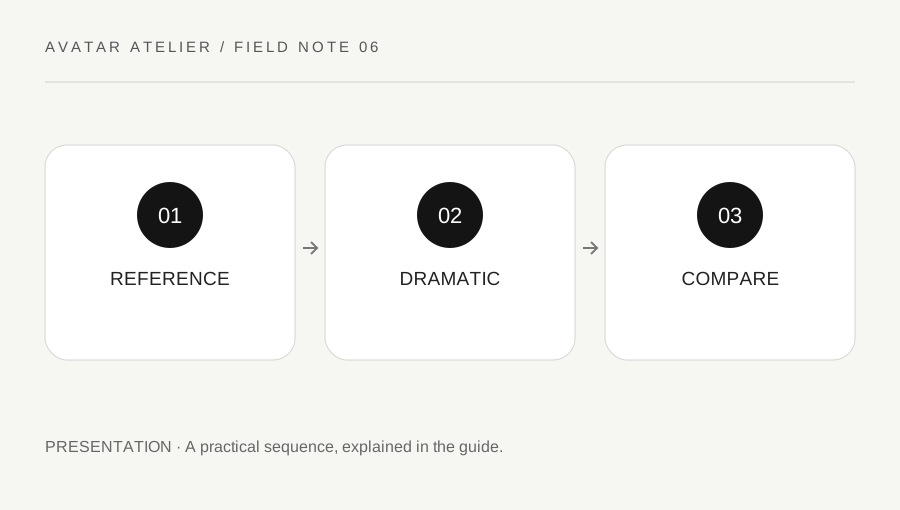
Original explanatory diagram. Examples illustrate a method or decision; they are not claims of personal testing.
Define a useful reference setup
Use the authoring or target application's supported lighting and camera controls to make a clear ordinary view of the avatar. Keep the face, body and relevant materials visible without relying on a very dark scene or strong effect. The reference is a project comparison aid, not a claim of universal physically accurate color.
Record the application, camera arrangement and material workflow. A stylized shader can intentionally respond differently from a realistic one. Read the current target requirements and avoid importing an unsupported shader merely because a showcase image uses it. Keep your design intention visible so a deliberate style is not mistaken for an accidental rendering fault.
Inspect shape and material separately
Look for unexpected intersections, missing surfaces, unintended transparency and details that only disappear under one lighting arrangement. Then inspect color and contrast relationships at normal viewing distance. Do not change geometry to compensate for a lighting effect before checking whether the material setup is the actual issue.
Use a small set of consistent angles and keep the neutral pose stable. If a problem appears only after export, record the destination and supported material behavior rather than assuming the authoring preview guarantees compatibility. A precise observation such as hair transparency changes in the target is more useful than a vague statement that the model looks worse.
Work through a dark-render comparison
Imagine a dramatic render hides a shoulder intersection in shadow. The creator's neutral reference makes it visible, so they correct the relevant permitted asset and repeat both views. They do not simply make the showcase darker to conceal the issue. If the overlap is intentional for a specific style, they record that decision rather than treating every contact as a defect.
The example illustrates a review method, not a measured lighting test. It also shows why a strong presentation image and a technical review image can serve different purposes. One can communicate mood while the other makes the asset easier to inspect.
Verify the target’s actual display
Use an authorized preview or test in the intended application. Read the platform's current material and performance guidance where relevant. A model that looks correct in one renderer may need a supported target-specific setup, and an attractive result does not establish performance on every device.
Keep the original materials, source permissions and accepted reference images with the project. Label untested applications or states honestly. A useful lighting review supports a better presentation by making hidden problems visible first, not by promising identical appearance across every shader, viewer and display.
Keep the final render’s purpose clear
A promotional portrait, a technical turntable and an ordinary in-world view can use different presentation choices. Label them accordingly and avoid presenting a heavily staged image as proof of every runtime condition. If substantial post-processing is used, keep that distinction clear where it matters. The goal is an honest attractive presentation backed by an inspectable asset, with enough reference information that later changes can be assessed without rebuilding the entire lighting arrangement from memory.
Use a plain contrasting background when reviewing edges and transparency, where the application supports it. A background matching the hair can hide a missing region or sorting artifact. Compare another simple background without changing the material at the same time. Keep that test distinct from the final presentation choice. It is a practical inspection aid, not a demand that the published avatar always appear against a neutral studio scene.
A practical checklist
Choices are saved in this browser. Reset them here or clear this site’s browser storage.
Questions that come up
Can a dramatic render hide a technical problem?
Yes. Keep a clear reference setup that makes important surfaces and intersections inspectable.
Does one renderer prove identical appearance everywhere?
No. Target material support and rendering behavior can differ.
Must every avatar use realistic shading?
No. A stylized choice can be deliberate; distinguish the intended style from unintended technical behavior.
References & scope
Background references checked on 18 October 2026. Worked examples and diagrams are original teaching material.